Or how I'm wasting my secret, free subscription to Spotify Premium.
For a long time we were told that computers exist to make our lives easier, but they only ever seemed to make them more difficult. Internet connections are nice and all, but a slow or flaky internet connection can be worse than none at all. Considering all of the years I spent in support, it felt like computers were only ever in various states of broken.
It wasn't until recently that I realized computers really could be used to make my life easier. The only way to do this, though, was to understand that out of the box they only make your life more difficult. I used to spend tons of time personalizing my home screen on my phone, my computer desktop, my music library, etc., to be nice and pretty looking. It never hit me that I was only working with form over function. Think of this example: when smartphones started really taking market share and we had actual browsers like Chrome, Firefox, and Opera at our fingertips for the first time, where was the URL bar at first?

There it is. Way up at the top. Where it's basically impossible to get to with one hand, without doing some metacarpal yoga and then eventually dropping your phone while standing in line at the doctor's office.
I swear that loose anecdote isn't from personal experience.
So after a few years of learning that smartphone input is not compatible with the classic computer input that we're all used to, some UX designers wised up and nicely moved it to the bottom of the screen where your thumb can comfortably reach it. Does it look better? Who cares; it works.
When I realized this for myself, I began to look to do the same. My calendar now sits on the side of my home screen right under my thumb for easy scrolling. Similarly, my single desktop icon sits in the corner of my screen so that I don't fling my mouse past it 9 times because my DPI is set excessively high.
So I say to you: stop keeping your things organized by logic and start keeping them organized for convenience. Sure, it might make sense to keep the largest box at the bottom of the stack. But is that really the best move when it contains all of your seasonal clothes, and the top box is just your Christmas decorations? No. No it's not.
Now forget that I said all of that, because I'm going to take you for a ride into my unnecessarily complex setup for something that could be easily solved by a small amount of money. The goal here is still the same though; function over form.
Warning: If you're here because you're smarter than me and you want to feel superior, then you're in the right place. There's nothing written below that's going to be all that complicated if you're already well-entrenched in computers and technology as a hobby. On the other hand, if you're smarter than I am, and made the incredibly intelligent decision to not pursue a career or hobby in computers (you lucky bastard) then you might find some silly fun here. Let's go!
In case you're thinking I might be humble or modest, let's squash that right away: I am a budget-audiophile. It's the worst kind of audiophile, only behind the kind that actually has money. I already have tinnitus, and being that I'm in my 30s now, I've definitely lost some part of my sensitivity to the upper frequencies. I'm smart enough to let you know that vinyl doesn't sound better just because it's on record, but dumb enough to force convert all of my music to "Stereo" instead of "Joint Stereo" because we don't do unnecessary audio compression in this family!
I'm also super lazy. Lazy enough to continuously tweak a single-line batch script that copies my music to a network share, instead of just copying it myself every time I buy a new album.
Up until recently I used a Zune HD for all of my music needs. The Zune is still the best sounding, consumer accessible, standalone MP3 player that you can find, and I would be honored to both fight and die on that hill.

Unfortunately the Zune HD maxes out at 64GB and my music collection has grown well beyond that. Sure, I don't need to have all of my music at 320kbps, but lets be real...yes I do. So a few years ago it was time to move on. I still have my Zune HD. I still love my Zune HD. If someone is able to engineer a way to increase the storage to 128GB or more I would be right back on it. Until that happens though, I've decided to move all of my music to my phone where I have better control over storage space and can connect an external DAC if I want to.
As a man with a large music collection and a huge fear of losing said music collection, at a minimum it is copied to two places: my main PC and my NAS. Because I use these in different ways (remind me to bring this up later), I needed to make sure they were in sync. My initial setup included a copy of my music on my PC, a copy on my NAS, and a single batch file that would copy music from PC -> NAS. For the Linux elitists out there: yes there a 100+ ways to do this, and Linux would have handled all of them neatly. But you'll have to pry 'robocopy' from my cold dead hands. So here was my simple robocopy command:
robocopy e:\music\ \\peab0dy\share\music *.mp3 *.mp4 *.wma *.flac *.m4a cover.* /S /E /DCOPY:D /COPY:DT /PURGE /MIR /R:5 /W:10Now all I had to do was double click a file on my desktop every time I added music and it would copy any new or updated tracks to my NAS where it could live safely and accessibly. Simple. Done. Right?
So...so...so wrong.
There are just too many things relying on me here, and I have learned that I am an unreliable single point of failure. What if I forgot to run the script? What if I accidentally deleted something from my desktop? What if I added it to my NAS first? What if I was just lazy and wanted my computer to earn it's paycheck around here? And let's not forget the most important part...how do I get the music onto my phone so I don't have to drive around listening to gasp THE RADIO?! Stop asking questions and keep reading, and we'll find out together!
Let's dive into what my music setup looks like currently.

Normal people just have a Bluetooth speaker that they carry around from room to room. (Normal people are always wrong.) Normal people with money to spend have a couple of Sonos speakers set up around the house. (Slightly less wrong.) Here's my personal setup: My incredibly legal music files are converted to 320kbps MP3 files (credibility: destroyed) and copied to my NAS. From my NAS they are synced to my desktop and my phone, and my Raspberry Pi will access them on-demand and play them out through my stereo receiver. This requires my music to be in too many places (read: two) for me to handle it manually, so let's make technology work for me.
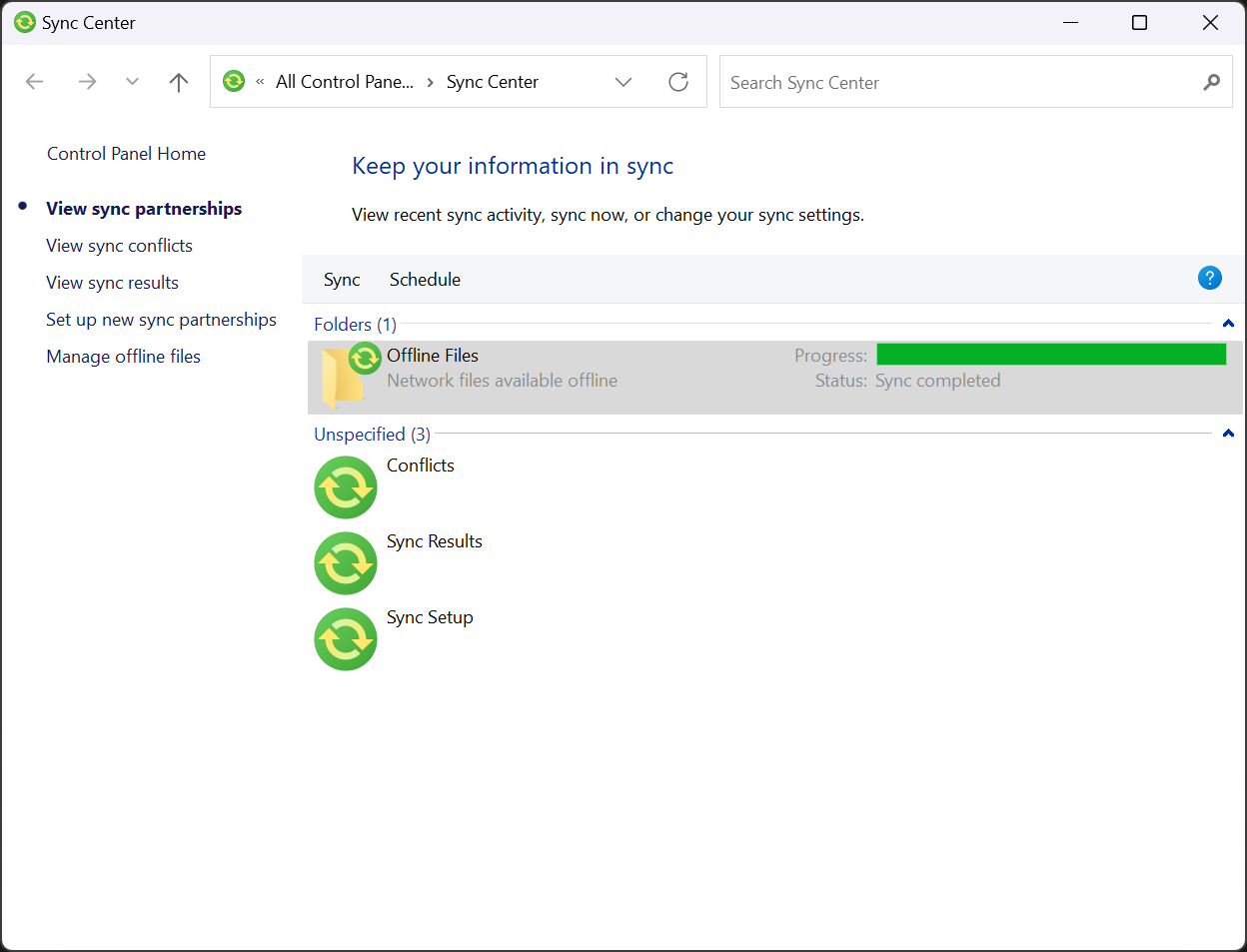
First: Windows has this fancy feature called "Sync Center". Come at me all you want with rsync and cron jobs. Sync Center can be finicky, but it's 100x more user friendly. I had to start though, by taking the incredibly frightening move and pressing "DEL". Absolutely horrifying. Don't worry about me though, we all have multiple backups, right?! After I freed up 70GB+ of storage space on my computer all I had to do was open up my music folder on my NAS, right click, and set it to always be available offline. This makes a local copy of everything in this folder on my computer, and it exists as if the NAS is still connected. Bam. Music saved in two places. Done. No more do I have to expend the insane effort that it took for me to double click a desktop icon after the arduous task of ripping a CD. Nice.
Next up is getting that music over to my phone with the same kind of ease. Honestly, this was so simple I hesitate to bother with this paragraph, but it's worth putting here for posterity. Here's how simple it is: Since I already had a network share set up all I needed was an app that would handle copying the files. SMB Sync to the rescue! I have a single task set up that will mirror all audio files to my phone at 2am. As long as I remember not to go to bed with only 10% battery life, all my music will be there in the morning. So easy it wasn't even fun.
Here's where I'm going to lose some of you. Stick with me though if you've ever acquired music on the open seas. You've probably got some music in your collection that's so quiet you're wondering if it was recorded from across the room. You also probably have some that's so loud that you gained a healthy fear of volume knobs the first time you played it. Or you own no music because :spotify:. Regardless, someone had an idea on how to fix this, and they did it, and it works great. World peace solved, let's pack it in!
This solution is called ReplayGain. This isn't the place to get into the technical details of how gain works in regard to audio, but we can touch on what ReplayGain does. In the simplest forms, ReplayGain is a value that is attached to a music file. That value tells your music player how much to adjust the volume on that file when it plays it. The purpose of this is to have your music player play all of your music at roughly the same volume. Now all of your quiet music sounds louder, your loud music sounds quieter, and now your earbuds won't burst out of the sides of your head while you're out for a run. The good news is that you don't have to come up with these values, it can all be done automatically. The REALLY good news is that ReplayGain doesn't actually affect the music itself, so it will still be bit-perfect and it's totally reversible. The bad news is that, while ReplayGain can be applied automatically, the process needs to be started manually. sigh
Or does it?
Of course it doesn't. If it needed to be done manually every time I'd be writing a different blog post now. So here's how we solve the issue. Step 1: Google search "replaygain from commandline". That led me to this github project: rsgain. "Really simple gain" is a pretty apt description of what it's for. It's a very simple way of scanning your personal music library and adding those ReplayGain values. For those less terminal-inclined (wait...) here's why we like anything that works from the command line: it can be scripted and automated. Here's the single line cron job running on my NAS that updates the ReplayGain info on my entire music collection nightly:
@daily root rsgain easy -p default -S /srv/dev-disk-by-uuid-not4u/Share/Music/ >/dev/null 2>&1Now, here we are, pretty set up. Simple, right? Let's recap so you can see how simple it actually is:
- Music is added manually to folder on NAS.
- Unfortunately I have not found a way to automate my music purchases just yet.
- NAS will apply ReplayGain info on a nightly basis.
- Phone will download any new/changed music overnight.
- RaspberryPi streams music directly from NAS to stereo.
- I write a 2,300+ word article that's total nonsense.
Things I actually have to do:
- Add music to my music folder.
- Play music.
All this work and I don't even get a Spotify Wrapped to post to my Instagram stories. What a terrible way to live.
There are a few better options you could utilize here, such as:
- Vox - Subscription service similar to Google Play Music (R.I.P.). Allows you to upload your personal library and stream it anywhere
- Plex - Freemium software. You run the server on your local computer, allow remote access, and you can access your music, tv shows, and movies anywhere.
- Navidrome - A self hosted, dedicated personal streaming server + app.
There are no affiliations or endorsements here. This is strictly informational.
While these are likely easier to set up, and work more like the subscription services that people are used to, they're significantly less fun! With my setup you have the benefit of never having to rely on an internet connection. All of your music is local, just like the good ol' days of the Zune HD!
I hope you all enjoyed your bedtime story. If you did, maybe next time I'll tell you about the time I wirelessly sync'd my Zune to a virtual machine so I wouldn't have to plug it in to add new music.